
Quick answer: what should you check first?
The best Minecraft Fabric horror mod is the one whose file page matches your Minecraft release and profile. A dramatic trailer does not confirm Fabric support, and a project tagged with Fabric may still require a specific loader version, Fabric API, library, resource pack, or server-side component.
For a first test, choose one threat system rather than stacking several stalkers. Slow-burn messages, creature encounters, infection mechanics, and cave pursuit create different pacing. Decide whether you want atmosphere, direct chase pressure, or a long survival campaign before you compare names.
The safest workflow is simple: record the exact file page, create a clean Fabric instance, install only the required dependencies, launch a new test world, and keep a backup of the working profile. If a page does not expose enough information to reproduce that setup, treat it as a lead rather than a ready-to-install recommendation.
- Match the Minecraft release and Fabric loader version
- Check whether Fabric API or another library is required
- Confirm client-side, server-side, or both-side support
- Use a clean profile and a new test world
- Keep the official project or file page open while installing
Fabric horror mods shortlist: compare fit, not hype
The following candidates come from the captured Modrinth Fabric catalog. Their listed versions are evidence for a starting shortlist, not a promise that every release remains current. Open the project page, select the exact Minecraft version, and read the dependency and changelog sections before you download anything.
Fright's Delight is a smaller thematic choice for players who want unsettling food and creature flavor. Gigeresque is a stronger creature-focused option. CRYPTID spans multiple loaders, so its file selection needs extra care. Crimson Curse: Infection is a progression-heavy choice that can change the shape of a survival world rather than adding one occasional scare.
| Project and fit | Catalog evidence | Check before install |
|---|---|---|
| Fright's Delight — themed creature and food horror | Fabric/Quilt; Minecraft 1.21/1.21.1; 1.4.8, published May 8, 2026 | Confirm the matching 1.21.x file and any required companion mods |
| Gigeresque — creature encounter focus | Fabric; Minecraft 1.21.1; 0.8.16, published October 21, 2025 | Check the 1.21.1 dependency list and client/server role |
| CRYPTID — multi-loader supernatural content | Fabric/Forge/NeoForge/Quilt; Minecraft 1.21/1.21.1; 1.1.1.0+mod, published July 6, 2026 | Choose the Fabric artifact explicitly; do not infer loader interchangeability |
| Crimson Curse: Infection — long survival pressure | Fabric/NeoForge/Quilt; Minecraft 1.21/1.21.1; 1.4.3.1+mod, published May 15, 2026 | Expect progression, world, and performance changes; test a separate save |
Fabric, Forge, and NeoForge are different paths
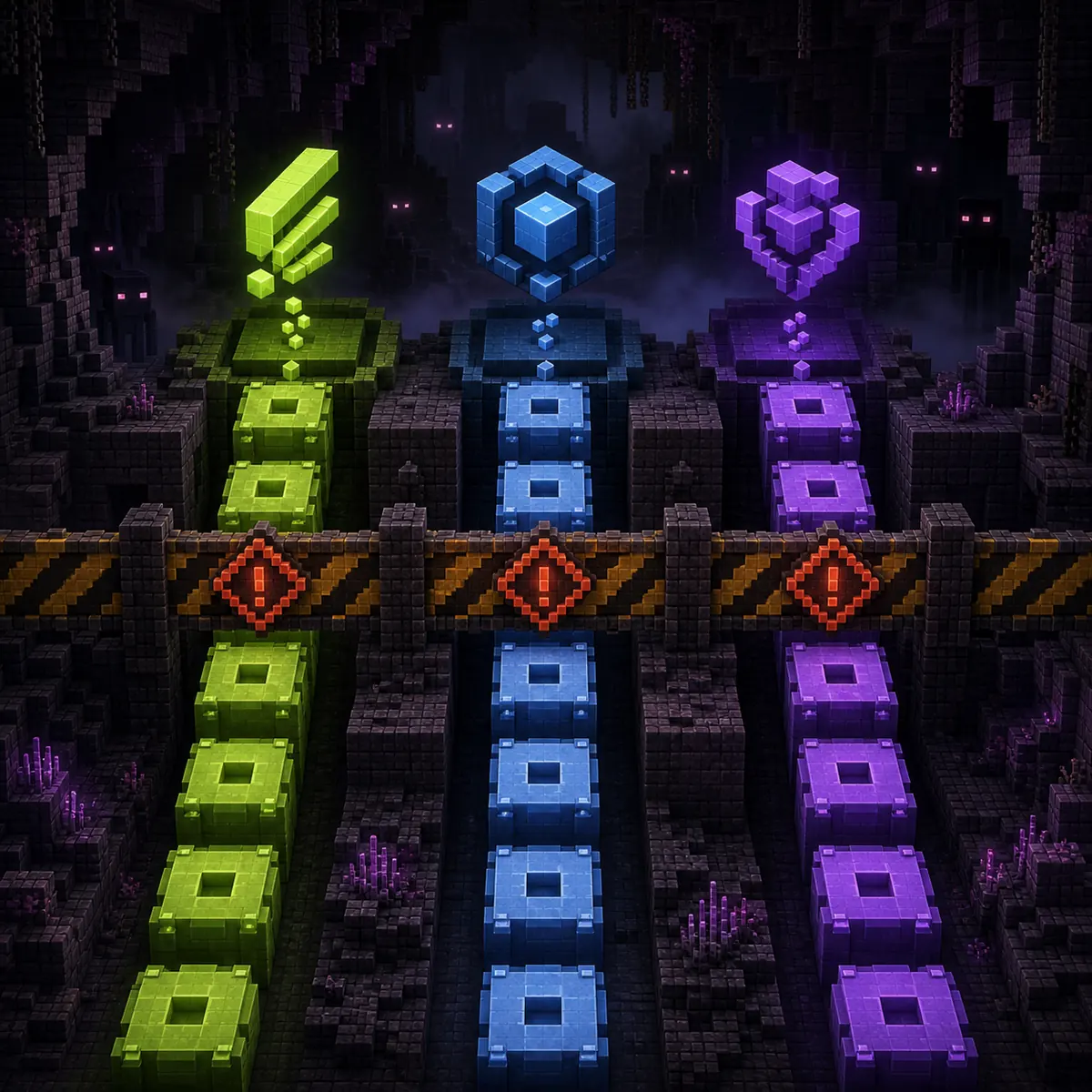
Fabric is not a cosmetic launcher preference. A Fabric mod normally declares Fabric metadata and expects the Fabric loader plus the dependencies documented by its publisher. Forge and NeoForge use different metadata, APIs, and compatibility ecosystems. Moving a Forge JAR into a Fabric mods folder cannot convert it into a Fabric build.
Version labels also need precision. Minecraft 1.21, 1.21.1, and later releases may look close in a search result while still requiring different files. If a project lists only 1.21.1, do not treat a 1.21.8 question or a 1.20.1 file as automatically compatible. Version-specific pages such as the site's Minecraft horror mods 1.20.1 guide are useful for the boundary, but they do not replace the current project file page.
- Choose one Minecraft release before opening the launcher
- Install the Fabric loader that matches that release
- Add Fabric API or named libraries at the versions the project requests
- Keep Forge and NeoForge files out of the Fabric profile
- Record whether the mod belongs on the client, server, or both
Use Modrinth as a project record, not as a substitute for checking
Modrinth is useful because a project page can expose loaders, game versions, release history, dependencies, licensing, changelog notes, and file metadata in one place. That information makes a Fabric horror mod easier to audit than a shortened social post or a countdown download page. It still requires human review: the newest project entry may not be the right game version, and a multi-loader project can show several files next to one another.
Before installing, verify the project name, publisher, exact version, loader, file type, publication date, dependencies, and client/server support. Compare the file page with the project's README or release notes when the feature is important. If the page offers only a source archive, do not place that ZIP in the mods folder; a source project must be reviewed and built according to its own instructions.
A useful rule for Minecraft Fabric horror mods is to keep the source chain visible. Save the project URL, file version, dependency versions, and a copy of the working manifest beside the launcher profile. That record makes a later crash or update easier to diagnose and prevents a similarly named project from silently replacing the one you intended.
Safe installation order for a Fabric horror profile
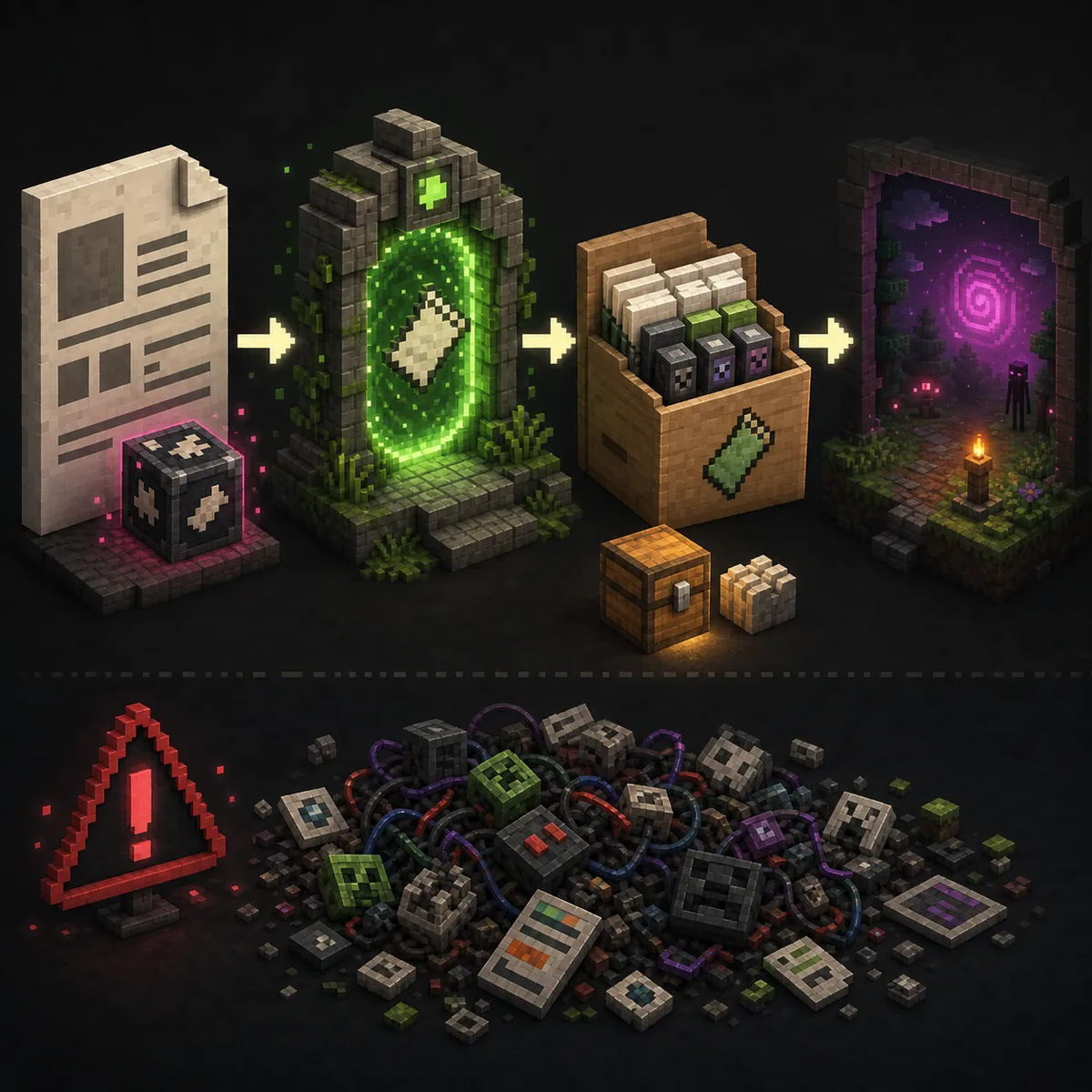
Use a separate instance for a horror experiment. Keep important survival saves out of the first launch, because entity AI, world generation, sounds, particles, and infection systems can change a world even when the game starts successfully. A clean profile also tells you which component caused a crash.
Do not install every recommended add-on at once. Start with the loader, required libraries, and one main horror project. Once a new test world loads and the log is clean, add optional ambience, performance, voice, or cosmetic mods one at a time.
- 1
Lock the game release
Write down the exact Minecraft version and choose the matching Fabric loader instance.
- 2
Read the project file page
Confirm the Fabric artifact, dependencies, release notes, client/server role, and file date.
- 3
Create a clean profile
Give the experiment its own mods, config, logs, and saves folders.
- 4
Launch a new test world
Check startup, the mod list, world generation, entities, audio, memory use, and logs.
- 5
Back up before updates
Keep the last working profile and world copy so a new file can be rolled back.
Performance and multiplayer checks
Horror mods can spend resources on entity scans, pathfinding, custom rendering, sound loops, particles, and world changes. A profile that feels fine alone may produce tick lag on a server or on a low-end laptop. Measure the first session instead of assuming the loader is the problem.
For multiplayer, the server and every client need a written manifest. Separate client-only visual or audio mods from server-required gameplay files, and keep configuration changes synchronized. A friend joining with Forge while the server expects Fabric is a compatibility failure, not a missing download button.
| Check | Single-player test | Multiplayer implication |
|---|---|---|
| Loader and version | Confirm the local instance boots | Every participant and the server need the documented stack |
| Dependencies | Read missing-library errors in the log | Publish one shared dependency manifest |
| World changes | Use a new save and observe generation | Back up the server world before updates |
| Audio and rendering | Check resource use and accessibility settings | Keep optional client effects separate from required server logic |
What to do when a Fabric horror mod has no current file
A project can be interesting and still be unsuitable for a fresh install. If the official page has no file for your Minecraft release, no dependency notes, or only an old source archive, mark it as not confirmed for your profile. Do not fill the gap with a guessed CDN path, a renamed JAR, or an unrelated APK or EXE.
This is also where search intent matters. A question such as “are there any Minecraft horror mods for 1.21.8 Fabric?” may need a current catalog check rather than a permanent recommendation. Keep the article's selection criteria stable, but recheck project pages when the game version changes.
- Use the official project page as the source of supported versions
- Prefer a file page with an exact Fabric artifact and release notes
- Treat an old or source-only project as a research lead
- Do not promise a direct download when the destination cannot be verified
- Record the check date so readers know what may have changed
Final decision: choose the loader first, then the fear loop
Use a Fabric horror mod when the project page, Minecraft version, dependencies, and profile all agree. Choose a small atmosphere or creature mod when you want a controlled first test; choose an infection or progression project only after you are comfortable restoring a save and reading logs.
For a broad scare-style comparison, continue to the best Minecraft horror mods guide. For a fixed Minecraft 1.20.1 boundary, use the version guide. For a shared server, use the multiplayer page. Those pages answer different intents; this guide exists for the Fabric loader and the compatibility decisions that come with it.
Minecraft Fabric horror mods FAQ
What are the best Minecraft Fabric horror mods?
There is no universal winner. Use the shortlist by fit: Fright's Delight for themed creature flavor, Gigeresque for creature encounters, CRYPTID for a multi-loader project that needs careful file selection, and Crimson Curse: Infection for a larger progression change. Confirm the current Fabric file before installing.
Can Fabric horror mods work with Forge?
Not by default. Fabric and Forge use different loader APIs and metadata. Use the artifact built for the loader named by the project, or choose a documented multi-loader release rather than renaming a JAR.
Is Fabric better than Forge for Minecraft horror mods?
Neither loader is universally better. The project, Minecraft version, dependencies, server role, and performance target matter more than the label. Choose the ecosystem with the current file and support your intended horror mod actually documents.
How do I install a Fabric horror mod?
Install the matching Fabric loader, add the required Fabric API or libraries, place the exact Fabric JAR in a clean profile, and test a new world. Keep a backup and add optional mods only after the base profile works.
Are Minecraft Fabric horror mods safe to download?
Safety depends on the source and the artifact, not on Fabric alone. Use a traceable project page, verify the publisher and file metadata, avoid executable installers and guessed mirrors, and test in a separate profile without valuable credentials or worlds.
Can I play Fabric horror mods with friends?
Often, but the server and clients must match the documented Minecraft version, Fabric loader, mod files, dependencies, and configuration. Use a written manifest and test the server before moving an important world.
Fabric loader and project sources
- Fabric installation guideOfficial Fabric Loader installation path and supported launcher guidance.
- Fright's Delight on ModrinthProject page and current loader/version metadata checked in the catalog capture.
- Gigeresque on ModrinthFabric creature-horror project page and file history.
- CRYPTID on ModrinthMulti-loader project page; choose the Fabric artifact explicitly.
- Crimson Curse: Infection on ModrinthInfection/progression project page and loader metadata.