
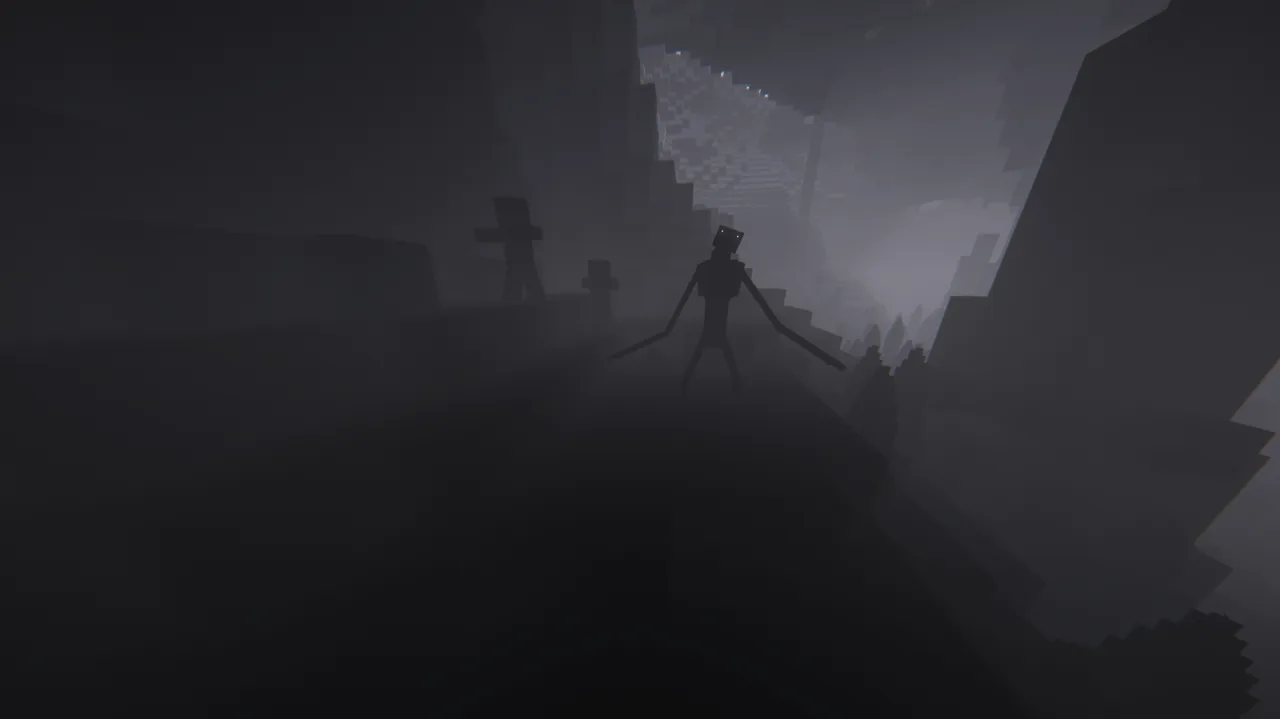
Which Cave Dweller Mod should you download?
For the classic experience, start with the original Cave Dweller project only if your profile is Minecraft 1.19.3 with Forge and the listed GeckoLib dependency. For Minecraft 1.20.1, choose a clearly labeled community variant such as Cave Dweller Evolved, Cave Dweller Reimagined, or Better Cave Dweller only after checking its own loader, support status, dependencies, and file date.
There is no universal Cave Dweller JAR that works across Forge, NeoForge, Fabric, 1.19.3, 1.20.1, and newer Minecraft branches. The safest choice is the file whose project page exactly matches your launcher profile. If the loader or game version differs, create another profile instead of forcing the file to launch.
- Match the exact Minecraft version before comparing features.
- Match Forge, NeoForge, or Fabric exactly; loader names are not interchangeable.
- Install libraries such as GeckoLib only when the project page lists them.
- Use a fresh test profile and back up important worlds before first launch.
Cave Dweller Mod versions compared
The name Cave Dweller describes a family of related horror projects rather than one continuously updated release channel. Some branches preserve the original stalking concept, some rebuild the creature for a newer game version, and others change spawn behavior or multiplayer support. Treat every project as a separate product with its own publisher and file history.
The table below is a selection guide, not a promise that every branch remains actively supported. Recheck the linked file page on download day because project owners can archive releases, add dependencies, or publish a replacement build.
| Project branch | Typical target | Loader | Best fit | Important caution |
|---|---|---|---|---|
| Original Cave Dweller | Minecraft 1.19.3 | Forge | Classic project and original behavior | Requires the project-listed GeckoLib version |
| Cave Dweller Reimagined | Minecraft 1.20.1 | Forge | A 1.20.1 recreation with real cave encounter media | Project is marked unsupported; verify the exact file |
| Cave Dweller Evolved | Minecraft 1.20.1 | Forge | Expanded community interpretation | Project page says it is discontinued |
| Better Cave Dweller | Minecraft 1.20.1 | Fabric | Fabric users who want a dweller-style threat | Discontinued; match Fabric API and dependencies |
| Newer community ports | Varies by current branch | Forge, NeoForge, or Fabric | Players on a supported modern profile | Publisher and version line may be unrelated to legacy projects |
Original, Reimagined, Evolved, and Better Cave Dweller differences
The original project is the clearest choice when you want the widely recognized 1.19.3 Forge experience. Reimagined and Evolved are separate community interpretations for 1.20.1, not official upgrades that automatically replace the original. Better Cave Dweller is another separate branch aimed at Fabric users. A file from one branch should never be dropped into another branch's instance just because the creature name looks familiar.
Gameplay differences can include model design, animation libraries, cave spawn rules, stalking frequency, sound timing, configuration options, and whether the project behaves well with other horror mobs. Before committing a long survival world, play a short disposable test world. Confirm that encounters occur as expected without overwhelming normal cave progression or creating repeated server errors.
If a modpack already includes a Cave Dweller variant, keep the modpack author's pinned file unless the pack documentation explicitly approves an update. Replacing one horror dependency can alter configuration, scripts, resource packs, or progression assumptions across the entire pack.
How to download Cave Dweller Mod safely
Open the specific CurseForge project page, then inspect the Files tab rather than relying on a search-result title, repost, or shortened link. Check the project author, Minecraft version, mod loader, release type, upload date, dependency list, and file name before selecting Download. This site links to official project or file pages because a stable direct CDN file could not be verified for every branch.
Avoid executables, password-protected archives, notification prompts, surveys, and sites that bundle a custom installer. A normal Java Edition mod is usually a JAR placed in the profile's mods folder. It should not require an EXE, an APK, a browser extension, or disabling security software.
- 1
Open the verified project page
Use the source links below and confirm that the title and publisher match the branch described in this guide.
- 2
Filter by game version and loader
Choose the exact Minecraft version first, then verify Forge, NeoForge, or Fabric before downloading.
- 3
Read dependencies and status
Install only listed libraries and note whether the project is active, unsupported, archived, or discontinued.
- 4
Keep the original file name
Do not rename or unpack the JAR; the file name helps you audit the profile later.
How to install Cave Dweller Mod
Use a separate launcher instance so the Cave Dweller setup cannot silently change an established world. Allocate reasonable memory for the whole profile, but do not assume extra RAM fixes a wrong loader, missing dependency, or incompatible Java version. Launch once without the horror mod if you need to confirm that the loader itself works.
The exact Java runtime depends on the Minecraft branch and launcher. Follow the loader's normal recommendation, then read the latest log when the game closes. The first useful error is often a missing dependency, wrong game version, duplicate library, or a mod built for another loader.
- 1
Create a clean profile
Select the Minecraft version required by the chosen Cave Dweller project and install the matching loader.
- 2
Install required libraries
Download GeckoLib, Fabric API, or another dependency only when the same project page explicitly lists it.
- 3
Add the JAR to the mods folder
Place the unchanged file in that profile's mods directory, not the resourcepacks, datapacks, or saves folder.
- 4
Test a disposable world
Confirm startup, sounds, entity spawning, and cave performance before opening a valued save.
- 5
Back up before updating
Copy the world and profile configuration before replacing a Cave Dweller file or loader version.
Does Cave Dweller Mod work in multiplayer?
Multiplayer depends on the chosen branch. When a project is required on both client and server, every player must use the same Minecraft version, loader, mod file, dependencies, and important configuration. A server-only installation may reject clients or create missing-entity behavior if the project expects client assets and code.
Test with two players before inviting a full group. Watch server logs during the first cave encounter, verify that sounds and animations appear for both players, and keep a copy of the exact files used by the server. If the encounter rate is too aggressive, change only documented configuration values and restart the server cleanly.
Do not stack several stalker or dweller mods immediately. Multiple projects can compete for cave spawns, pathfinding, sound events, and darkness effects. Add one major threat at a time so crashes and balance problems remain traceable.
Common Cave Dweller Mod problems
A crash before the title screen usually points to the wrong loader, wrong Minecraft version, missing GeckoLib or Fabric API, or a duplicate dependency. A world that loads but never shows the creature may simply need the correct cave conditions, more play time, or a configuration check; it does not automatically mean the JAR is fake.
If the game stutters during encounters, reduce view distance, remove shader packs for testing, and check whether other entity-heavy horror mods are active. If a server works for one player but not another, compare file hashes or at least exact file names and sizes across every client. Reproduce the problem in a clean profile before reporting it to a project author.
| Symptom | Likely cause | First check |
|---|---|---|
| Crash on startup | Wrong loader/version or missing dependency | Read the first mod-loading error in latest.log |
| Creature never appears | Spawn conditions, config, or conflicting mod | Test a clean cave world with default config |
| Server connection fails | Client/server file mismatch | Match game, loader, JARs, dependencies, and configs |
| Severe encounter lag | Shaders, high view distance, or too many entity mods | Disable visual extras and test one horror mod |
| Existing world changes after update | Changed config or entity behavior | Restore the backup and compare changelog/config files |
Cave Dweller Mod FAQ
What Minecraft version is Cave Dweller Mod for?
The original CurseForge project targets Forge 1.19.3. Separate community branches target 1.20.1 or newer version lines, so verify the exact project and file instead of assuming one universal version.
Is there a Cave Dweller Mod for Minecraft 1.20.1?
Yes, several separate community projects provide 1.20.1 builds, including Reimagined, Evolved, and Fabric-oriented alternatives. They are different projects with different support status and dependencies.
Does Cave Dweller Mod need GeckoLib?
The original project lists GeckoLib 4.0.4 or newer for its 1.19.3 Forge release. Other branches may list a different GeckoLib build or another dependency, so follow that branch's file page.
Can I use Cave Dweller Mod on Fabric?
Not with the original Forge JAR. Choose a project that explicitly lists Fabric and match its Minecraft version, Fabric Loader, Fabric API, and any additional dependencies.
Can I add Cave Dweller Mod to a server?
Only when the selected branch supports multiplayer. Keep the same files and dependencies on the server and every required client, then test with a small group before opening the world broadly.
Is Cave Dweller Mod safe to download?
Use a verified project or file page, confirm publisher and version details, avoid custom installers, and test the unchanged JAR in a separate profile. No download source can replace normal backup and file-checking habits.
Official project and file sources
- Original Cave Dweller on CurseForgeOriginal 1.19.3 Forge project, dependency and file history.
- Cave Dweller Reimagined on CurseForge1.20.1 Forge community recreation and source of the real gameplay image.
- Cave Dweller Evolved on CurseForgeSeparate 1.20.1 Forge interpretation marked discontinued.
- Better Cave Dweller on CurseForgeSeparate Fabric-oriented 1.20.1 project marked discontinued.
- CurseForge Cave Dweller safety guideBackground, installation cautions, compatibility and scam avoidance.